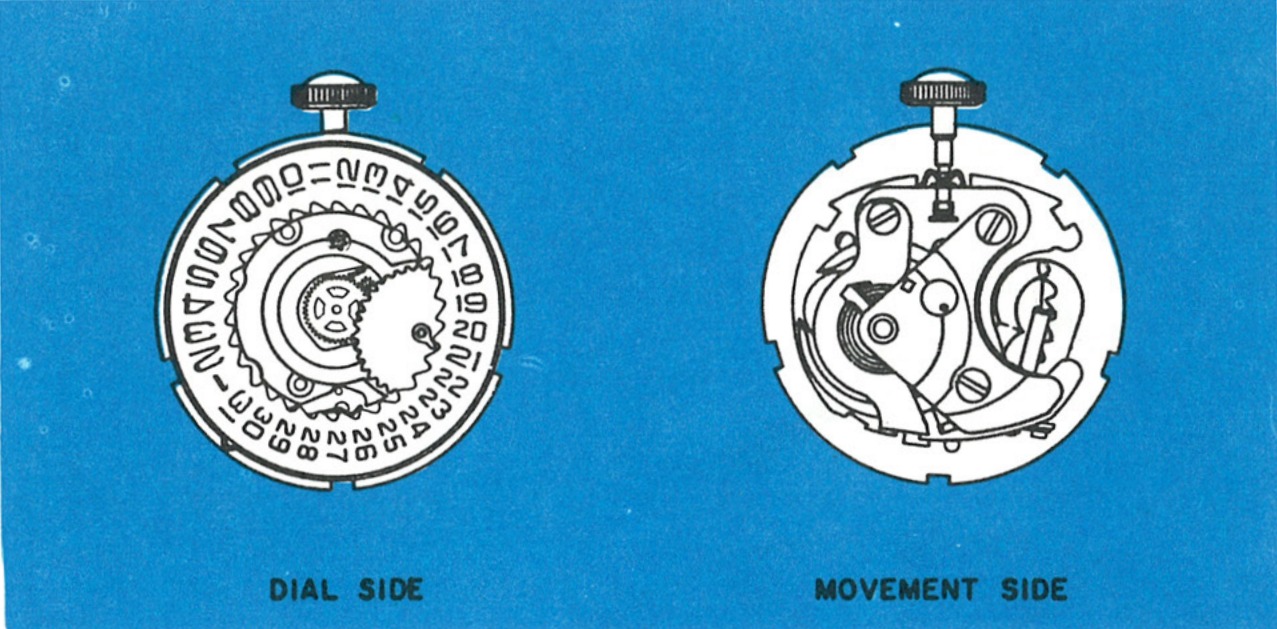
A Calendar on the Model 69
The Timex Model 71 is a 9¾ ligne round electric calendar movement. The Model 71 movement is similar to the Model 69 movement except that a calendar mechanism has been added and a different method of stem release is used. The date can be set manually, either forward or backward, by rotating the hands.
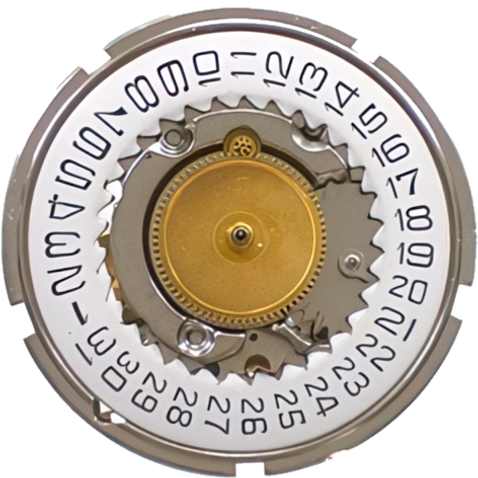
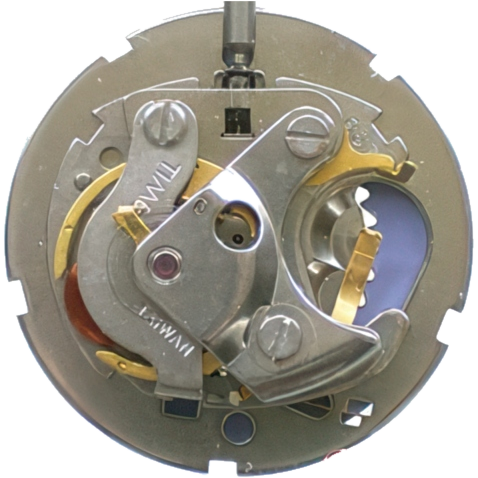
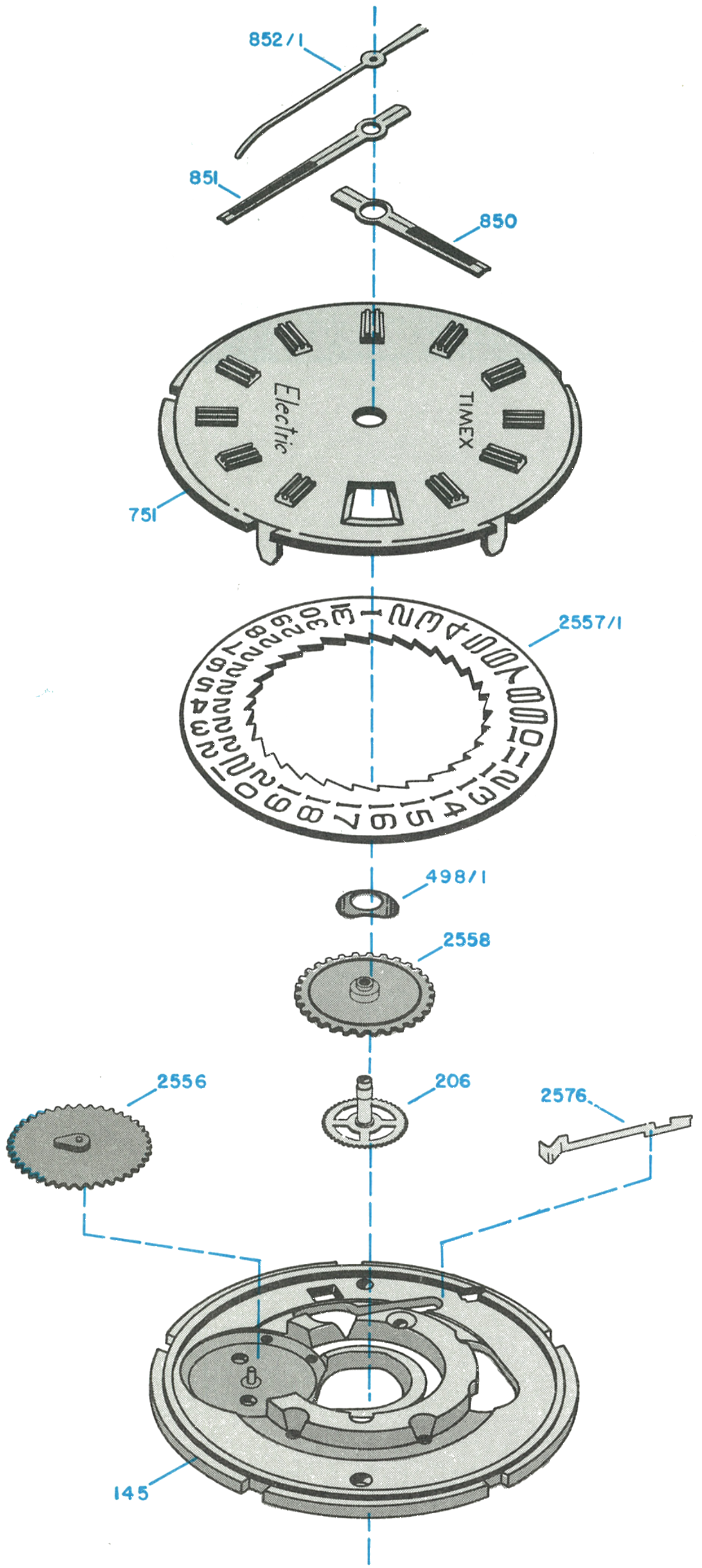
Exploded View
Everything below the numbered parts is the Model 69 electric movement.
Changing the Cell
Cell Replacement
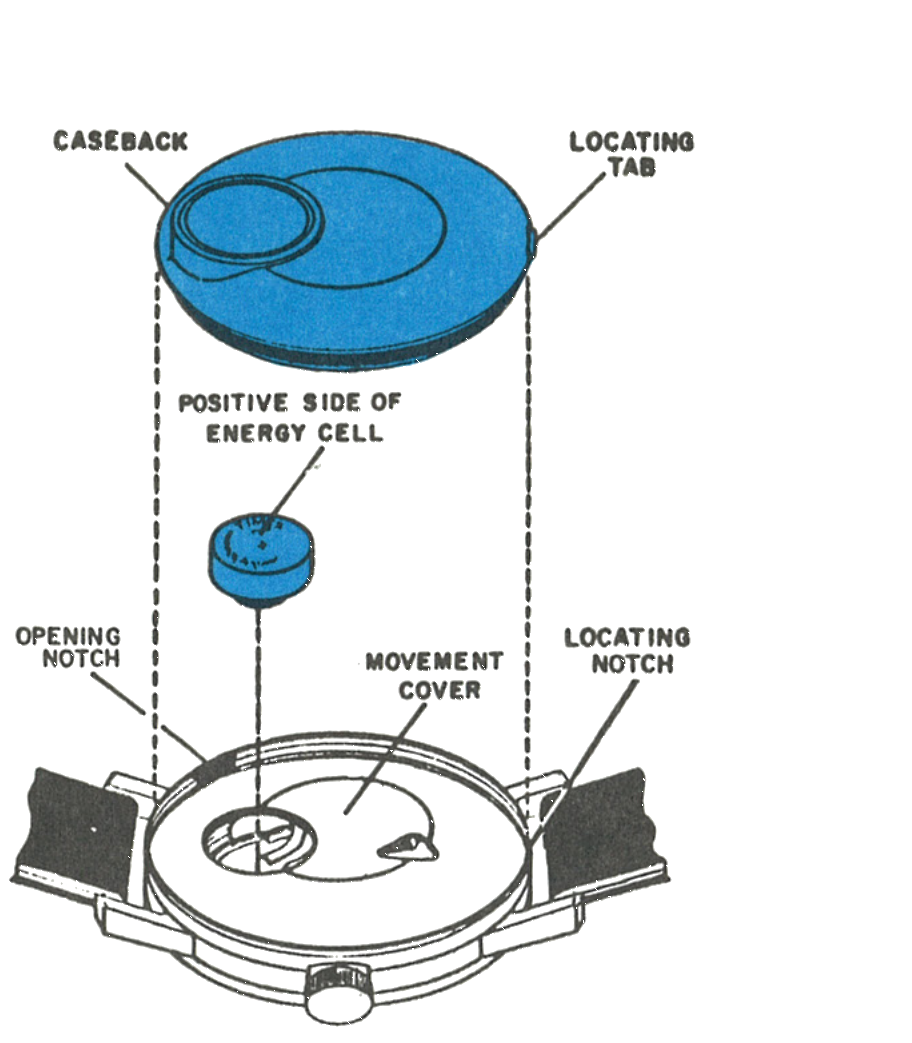
The energy cell is located beneath the caseback of the watch. To remove the caseback, insert a knife blade under the caseback opening notch and carefully pry the caseback off.
Remove the energy cell. Do not remove the movement cover. Check the voltage of the energy cell. Any cell with a voltage of less than 1.30 volts, checked with a meter having sensitivity of at least 20,000 ohms per volt, or one which has been in service in excess of one year, should be replaced.
Insert a new Timex Energy Cell Type C, making sure the positive side is toward the caseback. Replace the back by placing the locating tab of the caseback in the locating notch of the bezel and firmly pressing the back until it snaps into place.
The Ground Spring
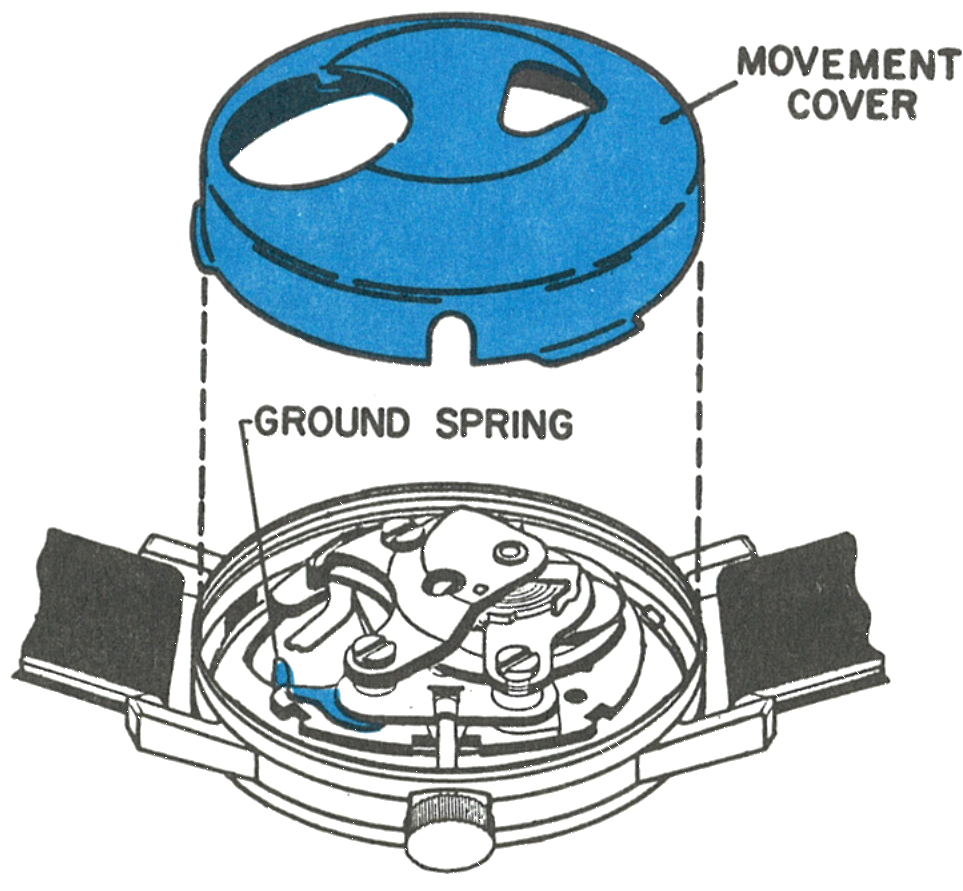
Care must be exercised in locating the energy cell ground spring to assure proper grounding and no short circuits.
Disassembly
Cover, Stem and Crystal
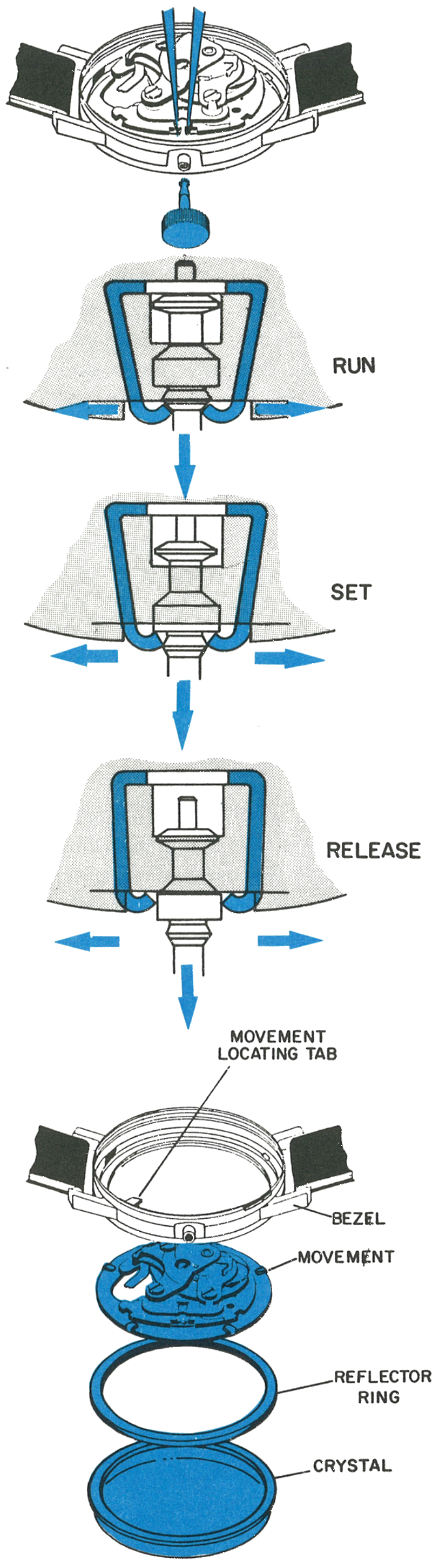
Remove the caseback, then the energy cell and movement cover. The movement cover is held in place with three tabs which seat in a recess in the bezel, and can be removed from the bezel with a slight pull.
The crown and stem must be removed to free the movement. The set stem is removed by applying outward pressure on the crown while the stem bracket is spread apart by inserting the points of a pair of tweezers between the stem and the bracket. When both sides of the stem bracket have been released, the crown and stem will come out completely.
Finally, remove the crystal using a suitable crystal lift. The movement and reflector ring are now free and can be removed through the crystal side of the bezel.
The Dial and Calendar
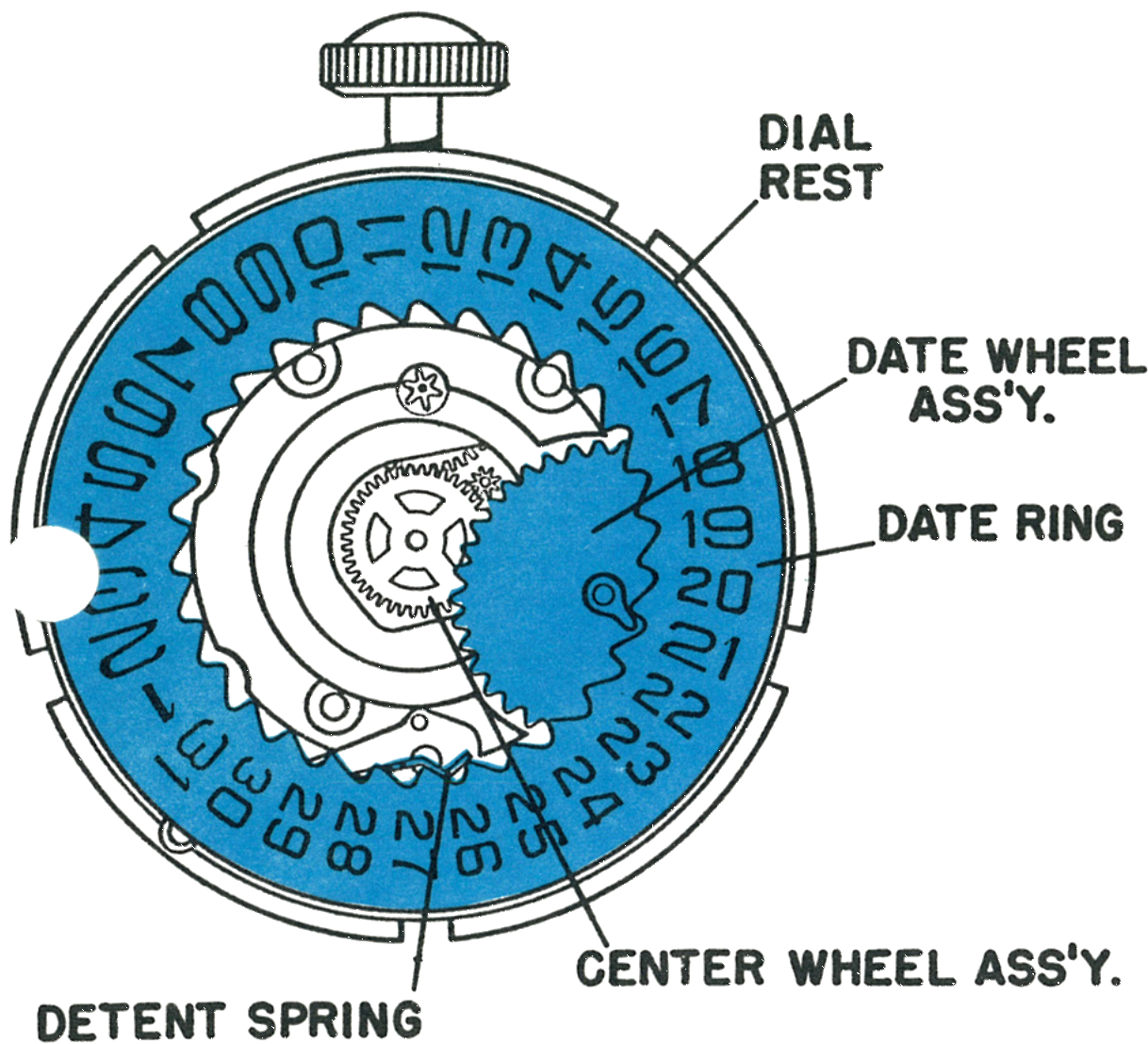
The dial assembly is held onto the dial rest by five bent tabs. Carefully unbend these tabs and the dial assembly will lift off the dial rest.
A finger attached to the date wheel assembly engages with and moves the date ring. A detent spring holds the date ring in position and also aids in moving it. A pinion attached to the hour wheel, 2558 on the exploded view, engages with the date wheel assembly.
Remove the sweep second and minute hands and the dial assembly. Lift off the date ring, the date wheel assembly and the center wheel assembly. The movement can now be turned over and serviced following the Model 69 disassembly and reassembly procedure.
Cleaning & Lubrication
All cleaning and lubricating points indicated for the Model 69 should be followed for the Model 71. In addition to the Model 69 lubricating points, lubricate a few teeth on the date ring and the post of the date wheel.
Positioning the Hands
First: set the finger on the date wheel assembly against the date ring as shown in the figure above.
Next: replace the dial assembly together with the hour hand, keeping the hour hand set at the 2 o’clock position.
Finally: replace the minute hand and sweep hand.